Charlotte Douglas (CLT) Terminal Map
Navigation Snapshot
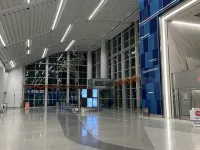
CLT has one terminal: all five concourses connect by walking after security.
Concourses A, B, C, D and E connect inside the secure area. No train is needed for gate transfers. Every checkpoint provides access to every concourse, but checkpoint hours and standard versus TSA PreCheck lanes differ. Use the exact gate number to plan the walk.
- Terminal
- 1 connected building
- Concourses
- A, B, C, D, E
- Gate transfers
- Walk after security
- Train needed
- No
Useful pages for this airport
The Charlotte Douglas map helps you find a gate, airline counter, restaurant or ground transportation stop in the airport’s single terminal. Start with the concourse letter and gate number on your boarding pass. A flight from Concourse E can involve a different walk from one near the central terminal, even though both are reached through the same checkpoint network.
How to read the CLT terminal map
Select the terminal or a concourse in the building control, then choose the level containing your destination. Search a gate or venue and use the route planner for the path and estimated walking time. The overview also shows the Rental Car Center and parking decks as separate map destinations. Coffee, Dine, Shop, Ground Transportation and Accessibility filters help locate services; check whether each result is before or after security before starting your route.
CLT official maps and route planner (opens in a new tab)The map uses the airport’s live public map service. FlyIndex checked the linked terminal, security and connection guidance on October 5, 2026. Map providers can update layouts without publishing a revision date; check your airline’s flight details and current airport notices before traveling.
Staying near CLT?
For an early departure or a late arrival, a hotel close to the airport keeps the transfer short. Compare rates for hotels around CLT.
Compare hotels near CLTPartner link: FlyIndex may earn a commission on bookings, at no extra cost to you. It never affects our wait-time or airport data. How we handle ads
CLT airlines, terminals & connections
Sources checked
Use these terminal and concourse notes to plan your route. Airline examples are a selection; confirm the operating airline, check-in location and departure gate for your flight.
- Main terminal
Check-in, checkpoints and baggage claim
Choose a checkpoint with the screening service you need. Its location does not restrict you to a single concourse.
- Concourse A
A Gates, including extended concourse sections
Search the full gate number and use the route estimate; allow more walking time for a gate in a farther section.
- Concourse B
B Gates connected to the central secure area
Continue through the secure concourse network when connecting; a baggage-claim exit takes you outside security.
- Concourse C
C Gates within the same secure terminal
Check your onward gate and use the map to select services along the walking route.
- Concourse D
D Gates and international-arrival routing
An international arrival requiring U.S. processing must follow customs instructions before continuing to another flight.
- Concourse E
E Gates in a branching concourse
Find the exact gate before estimating your connection. A shared concourse letter does not mean every gate is equally close.
Gate connections: follow the concourse signs
CLT’s concourses connect after security, so a domestic gate-to-gate transfer ordinarily follows the walking network. Check the departure board for an updated gate before starting. Use the route planner’s estimate for your exact origin and destination and add time for boarding, crowds and a service stop. Leaving toward baggage claim changes the route into a public-side journey and requires screening again before departure.
CLT official maps and route planner (opens in a new tab)Choose a checkpoint by service and opening hours
All CLT checkpoints lead to all gates. The airport currently lists Checkpoints 1 and 3 for standard screening from 3:45 a.m. to 8 p.m. Checkpoint 2 handles TSA PreCheck from 3:45 a.m. to 11 p.m., with standard screening also available from 7 p.m. to 11 p.m. Check the live airport guidance for changes, and use the lane appropriate to your boarding pass.
CLT security checkpoints (opens in a new tab)Baggage claim and pickup: use the public-side route
For an arrival, follow baggage displays and the map to the assigned claim area before choosing a transportation exit. Search Ground Transportation for the pickup service you are using and check the destination’s level. Tell the driver the location shown by current airport signs, not the departure gate letter. If you are returning to a flight after collecting bags, include another checkpoint visit in your plan.
CLT official maps and route planner (opens in a new tab)Food and shops: choose a stop along the connection
The map has separate Coffee, Dine and Shop categories and supports searches for individual venues. Locate your departure gate first, then choose a stop that fits the route. A restaurant in another concourse may be accessible inside security but can still add a long detour. Use the published restaurant details to confirm hours and leave time to reach the gate before the airline’s boarding deadline.
CLT official maps and route planner (opens in a new tab)Accessibility: arrange assistance for the entire walk
Use the Accessibility layer to locate services and elevators, and ask the airline about mobility assistance before travel. A map’s walking estimate assumes a particular route and does not account for every traveler’s pace, queue or assistance wait. The airport’s preparation guide explains passenger assistance options and what to arrange with the airline. Include the transfer between concourses when requesting help for a connection.
CLT travel preparation and assistance (opens in a new tab)CLT terminal map FAQ
Can you walk between all CLT concourses after security?
Yes. A, B, C, D and E connect within the secure terminal. Follow gate and concourse signs; use the route planner for the walk between your exact gates.
Does CLT have a train between concourses?
Gate connections use the airport’s walking network. No terminal train is needed to move between CLT’s five concourses after security.
Can I use any CLT checkpoint for Concourse E?
Every checkpoint provides access to every concourse, including E. Select an open checkpoint with standard or TSA PreCheck screening appropriate for your boarding pass.
Which CLT checkpoint has TSA PreCheck?
Current airport guidance lists TSA PreCheck at Checkpoint 2 from 3:45 a.m. to 11 p.m. Standard screening arrangements and hours differ; check the airport security page before arrival.
How can I estimate a CLT gate-to-gate walk?
Search the exact origin and destination in the official interactive map and use its route planner. Add time for crowds, mobility needs, service stops and the boarding deadline.
Where can I find accessible facilities on the CLT map?
Use the Accessibility category and level controls to locate services and elevators. Arrange gate-to-gate mobility assistance with the operating airline before your journey.
More CLT Airport Resources
Official Travel Resources
5 verified external links from airport operators and U.S. agencies.